
Microsoft's new Xbox Backward Compatibility on PC emulator isn't an original Xbox emulator at all — it's an Xbox 360 emulator running Xefu, the same translation layer the 360 used to run original Xbox games. Dataminers confirmed the nested architecture within hours of the announcement, and the XWine1 team has already booted Xbox 360 ROMs on it with mixed results.
The discovery came from dataminer Lunarixus, who reverse-engineered the PC port of XeO3 — Microsoft's original Xbox emulator — and found it wrapping Xefu, the 360's own original Xbox compatibility layer. In plain terms: Microsoft shipped an Xbox 360 emulator to PC, then used its built-in original Xbox emulator to run the four launch titles. It's an emulator inside an emulator.
Fun fact: The new OG Xbox Backwards Compatibility layer released by Microsoft for the PC is actually an Xbox 360 emulator running Xefu (the OG Xbox emu for the 360), confirmed by the XEX2/STFS magi
 View on X →
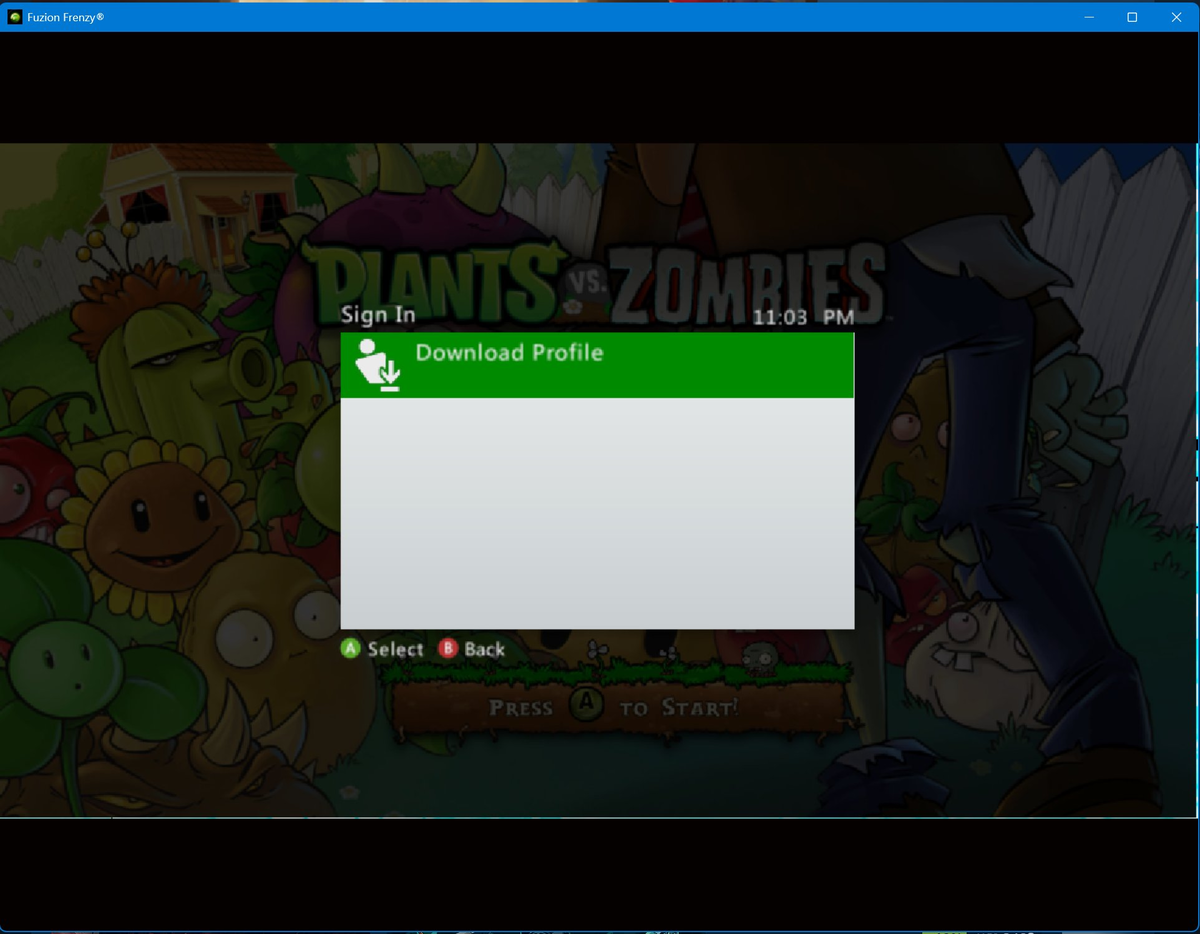
The XWine1 project, a community effort translating Xbox One binaries to run on Windows, quickly proved the implication. By combining Microsoft's XeO3 PC port with components of their own XWine1 translation layer — specifically the SlimEra module — they've successfully launched dumped Xbox 360 and original Xbox games on the official Microsoft emulator. Compatibility varies wildly, but the architecture supports it.
By combining Microsoft's recently-released PC port of XeO3 with specific components of XWine1, SlimEra namely, it becomes possible to run dumped backwards-compatible Xbox 360 and Xbox Original game
 View on X →
Why Microsoft Built It This Way

This isn't an accident or a hack — it's pragmatic engineering. Microsoft never wrote a native original Xbox emulator for modern x86 hardware. When the Xbox 360 launched in 2005, it used Xefu to translate original Xbox (Pentium III / custom NV2A) instructions to the 360's PowerPC architecture. When Xbox One added backward compatibility in 2015, it emulated the 360's PowerPC cores on x86 — Xefu came along for the ride. The Series X|S inherited that stack. Now Microsoft has ported that entire chain to Windows.
Writing a fresh original Xbox emulator for PC would mean re-implementing the NV2A GPU and Pentium III quirks from scratch. Reusing the 360's existing, battle-tested translation layer — bugs, hacks, and all — saves years of work. The tradeoff: you're running a 360 emulator to run a 360-era emulator of the original Xbox. Performance overhead stacks.
What This Means for Your Library

Right now, Microsoft officially offers four original Xbox titles through the PC backward compatibility program: Star Wars: Knights of the Old Republic, Star Wars: Knights of the Old Republic II, The Elder Scrolls III: Morrowind, and Fable Anniversary. That's it. But the emulator underneath supports the full backward-compatible catalog — hundreds of Xbox 360 games and dozens of original Xbox titles that Microsoft certified for 360 and Series consoles.
The XWine1 team's early testing shows games like Lost Odyssey and Blue Dragon — Mistwalker RPGs stuck on 360 hardware for nearly two decades — can boot on PC today. Fable II, never ported beyond the 360, is the community's most-requested target ahead of Playground Games' reboot next year. Microsoft hasn't announced a timeline for official 360 support on PC, but the infrastructure is demonstrably there.
The Compatibility Ceiling
"Varying degrees of success" is the honest assessment. The XWine1 team reports graphical corruption, audio desync, input latency, and crashes depending on the title. Original Xbox games running through Xefu inside the 360 emulator inside XeO3 on Windows accumulate translation errors at each layer. Games that relied on 360-specific timing quirks or GPU behavior — Halo: Reach, Red Dead Redemption, Gears of War — are the hardest to stabilize.
Microsoft's official rollout will almost certainly gate titles behind per-game validation, just as they did on 360 and Series consoles. Each release gets a custom configuration profile. The community won't have those profiles, so expect a long tail of "works but with caveats" for unofficial use.
Where This Fits in the Preservation Picture
Microsoft's approach contrasts sharply with Sony and Nintendo. PlayStation 3 emulation on PC (RPCS3) took a decade of clean-room reverse engineering. Nintendo has never officially supported GameCube or Wii games on PC. Microsoft, by virtue of owning the x86 transition across three console generations, accidentally built a preservation pipeline: original Xbox → 360 (Xefu) → Xbox One (360 emulator) → Series X|S → Windows (XeO3 port).
The irony: the company most aggressive about digital licensing and always-online requirements has, through architectural inertia, created the most viable path for Xbox history to survive on open hardware. Whether they choose to open the floodgates or keep it a trickle of four games per year is a business decision, not a technical one.
What to Watch
Microsoft's next move is predictable: a curated Xbox 360 on PC announcement, likely tied to a Game Pass marketing beat. The emulator is ready. The legal framework for re-licensing 360-era middleware (Havok, Scaleform, Wwise, proprietary audio codecs) is the bottleneck. Expect a slow drip — 10 to 20 titles at launch, then monthly drops.
For now, if you have dumped ISOs and a tolerance for tinkering, the XWine1 build is the only way to play Lost Odyssey at 4K/60 on PC. It's messy. It works. And it proves Microsoft's "original Xbox emulator" was a 360 emulator all along.
Fun fact: The new OG Xbox Backwards Compatibility layer released by Microsoft for the PC is actually an Xbox 360 emulator running Xefu (the OG Xbox emu for the 360), confirmed by the XEX2/STFS magi
View on X →


Comments (0)
Loading comments…