
Pre-ordering Halo Campaign Evolved or grabbing the Premium Edition gets you a bunch of cosmetic skins for Master Chief and his weapons, and redeeming them is just a few clicks away—here's exactly what you get and how to claim it all.
For the first time in the series, Halo Campaign Evolved offers a suite of pre-order and Premium Edition bonuses that include classic throwback armor and a generous stack of weapon skins. If you've already pre-ordered any version of the game, you need to open the Customization tab from the main menu, log into your Microsoft Account (ensuring it matches the one used for purchase), and you'll find every skin waiting for you under Armor and Weapons. It's that straightforward.
All Pre-Order Bonuses in Halo Campaign Evolved
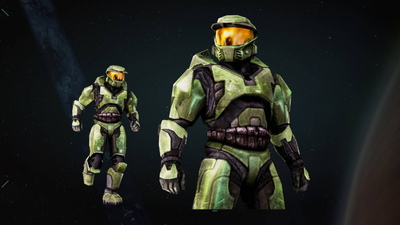
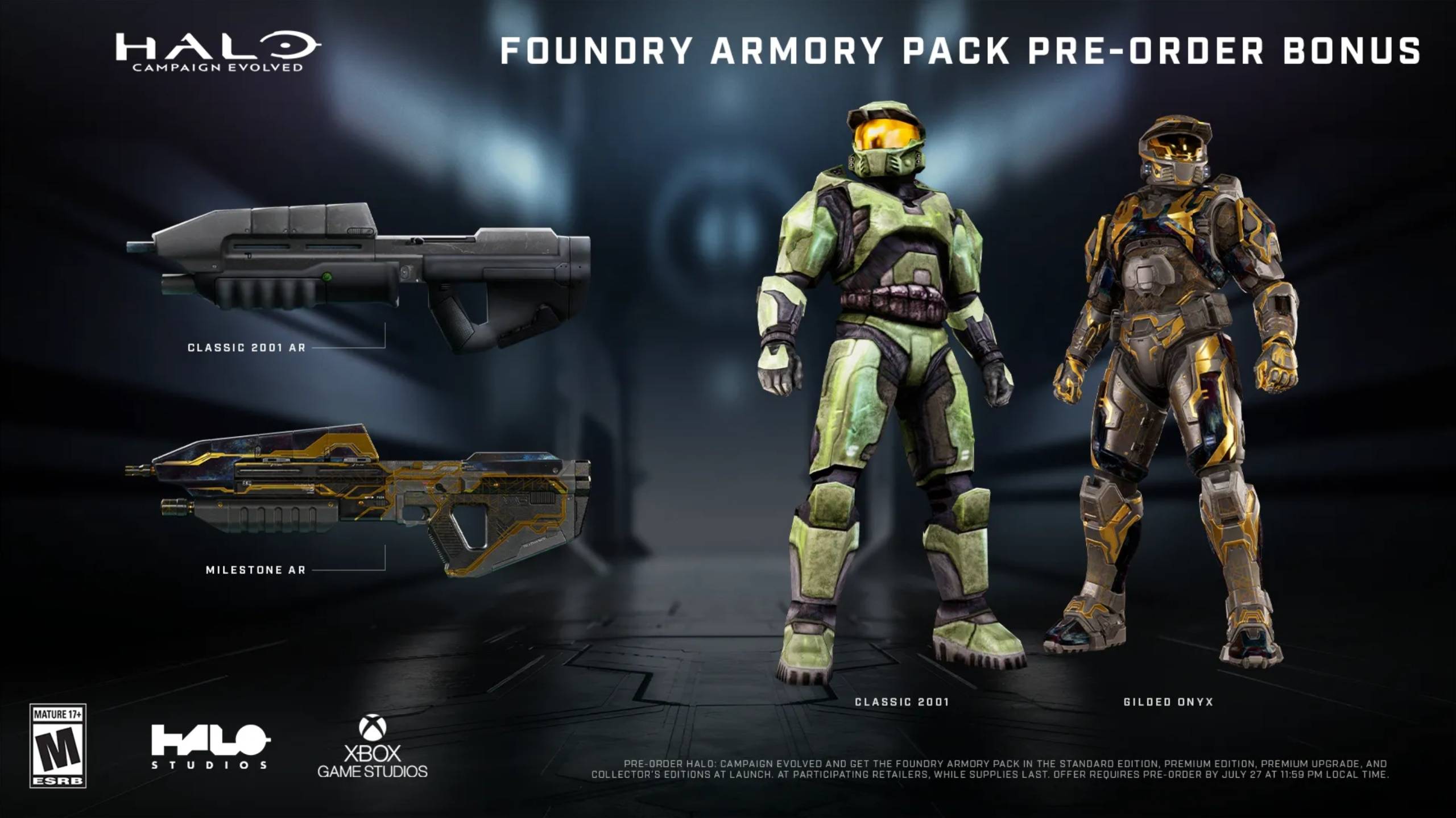
Anyone who pre-orders any edition of Halo Campaign Evolved gets the Foundry Armor Pack, which features four unlocks. The big draw is the Classic 2001 Mark V Armor Skin, letting you rock the original low-poly Master Chief from the very first Xbox game. It comes paired with a Classic 2001 Assault Rifle Skin for a full retro look. On top of that, you'll get a Gilded Onyx Armor Skin and a Gilded Onyx Assault Rifle Skin for a more modern, premium finish.
All Premium Edition Bonuses in Halo Campaign Evolved
The Premium Edition costs $69.99—$20 more than the standard edition—and it's where the real cosmetic haul lives. Beyond the pre-order items, you get five additional days of early access (meaning you can play right now if you bought it) and these extras:
- Lochagos Armor Skin
- Timberwolf Armor Skin
- Splintered Warden Armor Skin
- Mobile Armor Type 117 Armor Skin
- Gestalt Armor Skin
- Laconian Lance Battle Rifle Skin
- Savage Tooth Sniper Rifle Skin
- Subanese Fang Energy Sword Skin
- Prototype SPNKR Rocket Launcher Skin
- Colossus Fuel Rod Skin
- Cold Iron Magnum Skin
- Digital Artbook
- Halo: Hungry Buzzards Digital Short Story
- Digital Game Manual
That's five new Master Chief armor skins and six weapon skins, plus the digital bonus content. If you're not bothered about cosmetics, the standard edition at $49.99 still includes the pre-order pack if you buy before launch.
How to Redeem Premium & Pre-Order Bonuses in Halo Campaign Evolved
Here's the step-by-step: launch the game, reach the main menu, then select the Customization tab. From there, you can inspect your Armor and Weapon options. All skins tied to your Microsoft Account should appear automatically—no codes to enter. The critical detail is making sure your Microsoft Account is the same one you used to purchase the game. If you bought it on one account and logged in with another, the skins won't show.

Is the Premium Edition Worth It?
For $20 extra, you're getting five days of early access, a stack of armor and weapon skins, and some digital fluff. The question is whether cosmetics matter to you. If you're a longtime Halo fan who loves customizing your Spartan, the Lochagos and Timberwolf armors alone might justify the upgrade. But if you play through the campaign once and move on, the standard edition with its pre-order skin pack is the smarter buy. The classic 2001 skin alone is a nostalgia hit worth pre-ordering for—no need to spend more unless you want every option available.
A Note on Account Linking
One common frustration with cross-platform releases is that bonuses don't always carry over seamlessly. Halo Campaign Evolved supports cross-platform play, but you still need to be logged into the Microsoft Account tied to your purchase. If you bought on Steam or from another storefront, the game should still link back to your Microsoft identity—just double-check before contacting support. The system isn't flawless, but it's been reliable for most Halo Infinite players, and Halo Studios has streamlined the process here.





Comments (0)
Loading comments…