
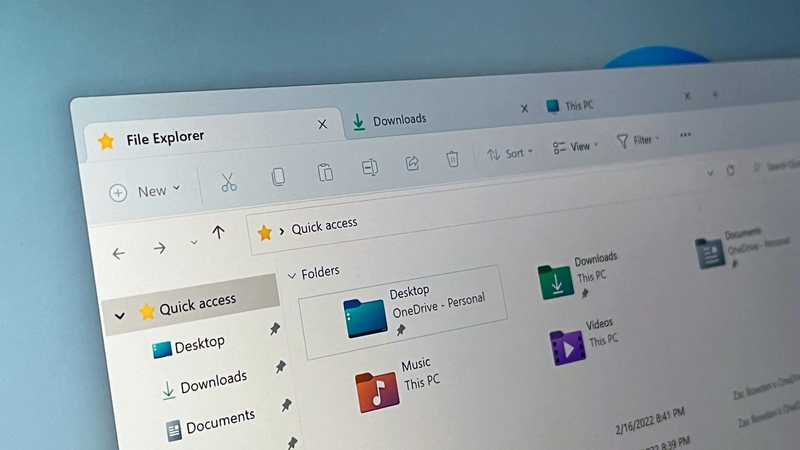
If you’ve used Windows 11 for more than five minutes, you’ve probably run into something that looks like it was designed in 2003. The old File Explorer, the right-click context menu that still shows “Send to Bluetooth device,” the Control Panel that refuses to die. Microsoft is finally doing something about it.
The company is rolling out a series of updates that modernize Windows 11’s decades-old legacy interfaces. It’s not a complete overhaul, but it’s the most aggressive push yet to drag the operating system into the present.
What’s actually changing?
The most visible change is File Explorer. Microsoft is replacing the old ribbon interface with a cleaner command bar, similar to what you’d see in a modern web app. The context menu is also being streamlined, hiding those ancient options like “Include in library” behind a “Show more options” entry.
That’s not all. The Settings app is absorbing more of the Control Panel’s functions. The old volume mixer is getting a facelift. Even the taskbar’s ability to show seconds on the clock is making a comeback, after a bizarre removal in Windows 11’s initial release.
Why this matters
Windows 11 has been out for over two years, and it still feels like a patchwork of old and new. The Start menu is modern, but right-click on a file and you’re thrown back to the Windows 95 era. These updates aren’t flashy, but they fix the kind of friction that makes daily use annoying.
For PC gamers, this means less time wrestling with outdated dialogs and more time actually playing. When you’re trying to find a game’s install folder or tweak compatibility settings, a modern File Explorer matters.
How we got here
Microsoft has been slowly chipping away at legacy code since Windows 8. But the company has a habit of half-finishing things. The Windows 11 launch was a prime example: a shiny new UI on top of the same old guts. Users complained, and Microsoft listened — slowly.
The shift accelerated after Windows 11’s 2022 update, which introduced tabs to File Explorer. That was a sign that the team was willing to touch core components. Now they’re going further.
A key detail
One of the most requested features is finally arriving: support for third-party file manager tabs in the taskbar. That means apps like Files or Total Commander can appear as a single icon, not a stack of windows. It’s a small thing, but it shows Microsoft is paying attention to power users.
Another concrete change: the new context menu will show a copy path option by default. No more hunting through the “Show more options” menu for a basic action.
The bigger picture
This isn’t just about aesthetics. Modernizing the shell means better performance, fewer crashes, and easier maintenance for Microsoft. The old code is brittle. Replacing it with newer APIs makes the OS more secure and faster to update.
It also signals that Microsoft is committing to Windows 11 as a platform, not just a stopgap. With Windows 10 support ending in 2025, the company needs to make 11 feel like a worthy upgrade. These changes help.
What’s next
The updates are rolling out in preview builds now, with a wider release expected in the next few months. Some features, like the revamped volume mixer, are still in testing. Others, like the new File Explorer, are already available to Windows Insiders.
If you’re on the stable channel, you’ll see these changes gradually. Microsoft isn’t flipping a switch — it’s a series of patches. But for the first time in a long time, Windows feels like it’s actually moving forward, not just adding more layers to a 30-year-old foundation.





Comments (0)
Loading comments…